Download the Last Version here.
All good things must come to an end, or so they say. As the new month started the group had to rethink about approaching the project.
We unanimously agreed that we wanted to work on projects we were more passionate about. While we managed to get a proof of concept finished with this projects displaying our abilities at learning and adapting to new situations (Networking/Procedural Generation/Procedural Animation/Virtual Reality), it was the groups decision to call it a wrap.
I personally would like to thank my group members for joining me on the journey with this project and I cannot wait to see what everyone else has to offer! - Kevin W.

Download Version 0.7 here.
For week four of this month I decided to work on the procedural animation of the enemies. I started with lifting the enemies off of the ground so that they looked less like they were squatting. I also lowered the stepping distance and decreased the stepping height so that they wouldn't step into illegal positions. Other than the legs, I added Head tracking so that the enemies would look at you and allowed enemies to rotate while preparing an attack.
The procedural looking has two different objects moving at different speeds to allow it to constantly look at the target location while also slowly shifting to make it look extra strange. I also fixed a bug in the attack queue that caused a null reference as the queue tried to call an enemy that had died.
Head Tracking being added.
Head Tracking Part 2!
Attack queue being fixed.
Updating Procedural Animations.
Caption Media
This has finally been a good week of development for networked objects. Networked objects have been a massive annoyance for a while now. I started by trying to just make it so the object would parent to the hand. But for network for game objects you can't just do that as normal. So instead you have to use their "TryParent()" method on the Network Object. But that wasn't working for me for a while.
I eventually was able to fix it but was soon to realize that it wouldn't be able to be parented to the players hand. This was because you can't have child network objects under a network object. So instead I had to set rotation and position with an offset generated by the rotation so it would line up. All in all these last few weeks trying to make this work have been very painful but I'm happy I finally made it work.
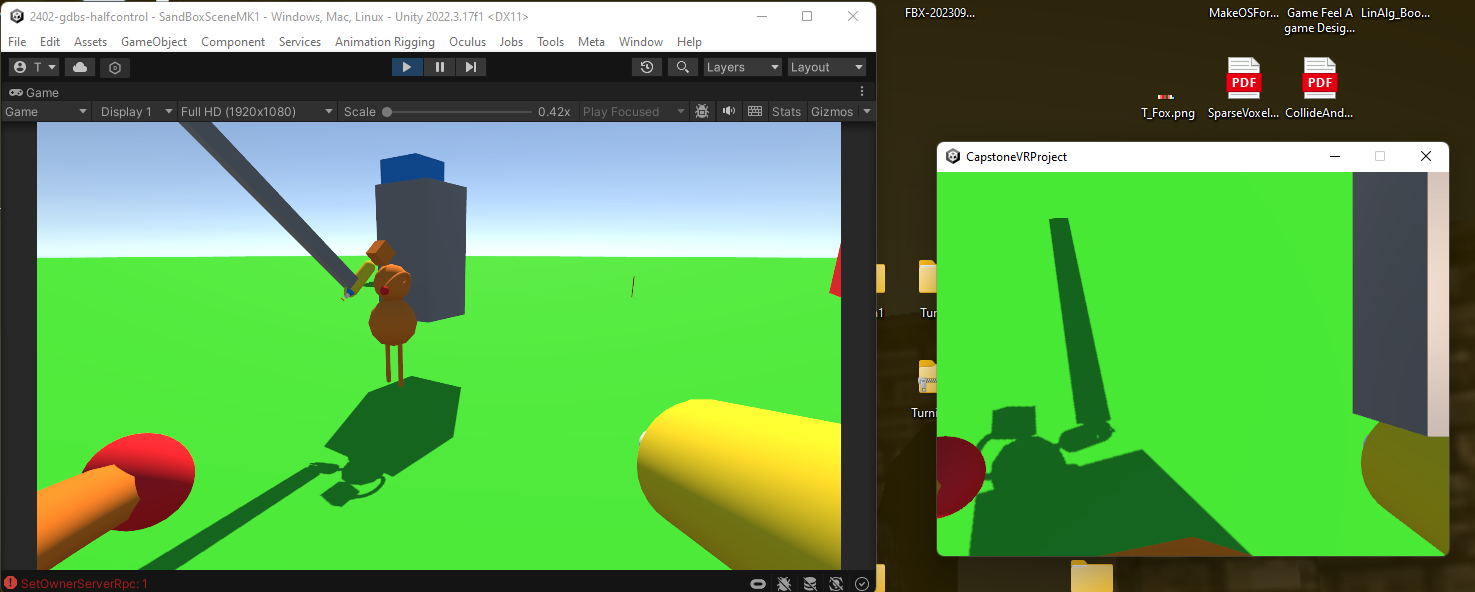
Finally, after a long wait. Networked objects!
To recap some of the things I have worked on this past week, I have been networking a bunch of my old features and adding new ones! There are now Mask Effects for when an enemy gets hit they have an expression change. There are also now over 1000 unique mask combinations within the customization station as well.
I have also worked on a player shop and a loot table system that features all available weapons and items within the game. This will allow players the ability to change weapons during their dungeon run.
The last and probably biggest thing I have worked on this last week was consolidation for the build. The team was finally able to combine features together showcasing our cumulative work over the past 2 months together. (Enemy AI, Procedural Generating Dungeons, Procedural Animations, VR Player, Interactive UI, Networking Objects, the list keeps going!). Consolidation was one thing I was happy to take part in as it provided me with a new look on everyone's progress within the project and also helped me understand the importance of code clarity and making things easily diagnosable.
I can't wait to continue working on this project but first comes Spring Break, so I will probably be taking a week off to finally relax and go play some games, suggestions anyone?
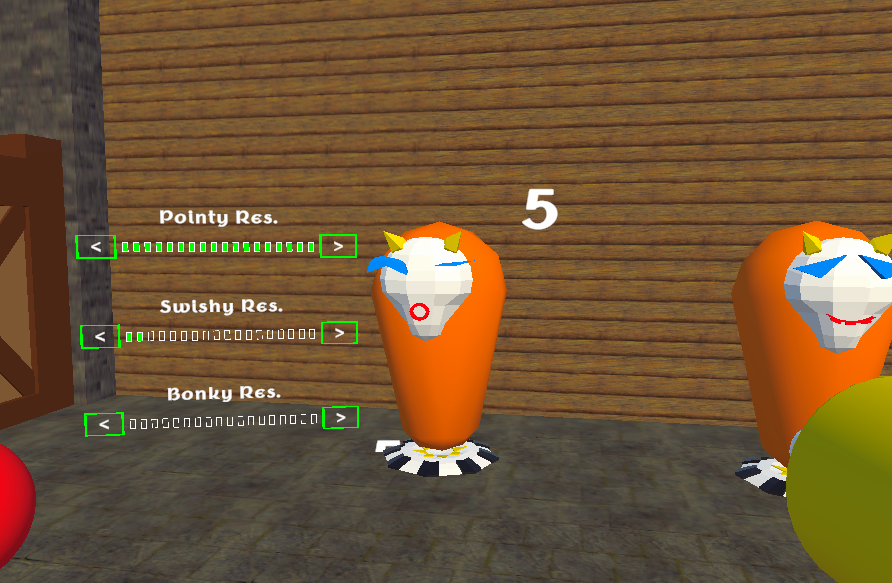
Networked Damage Indicators and Mask Hit Effects in action!
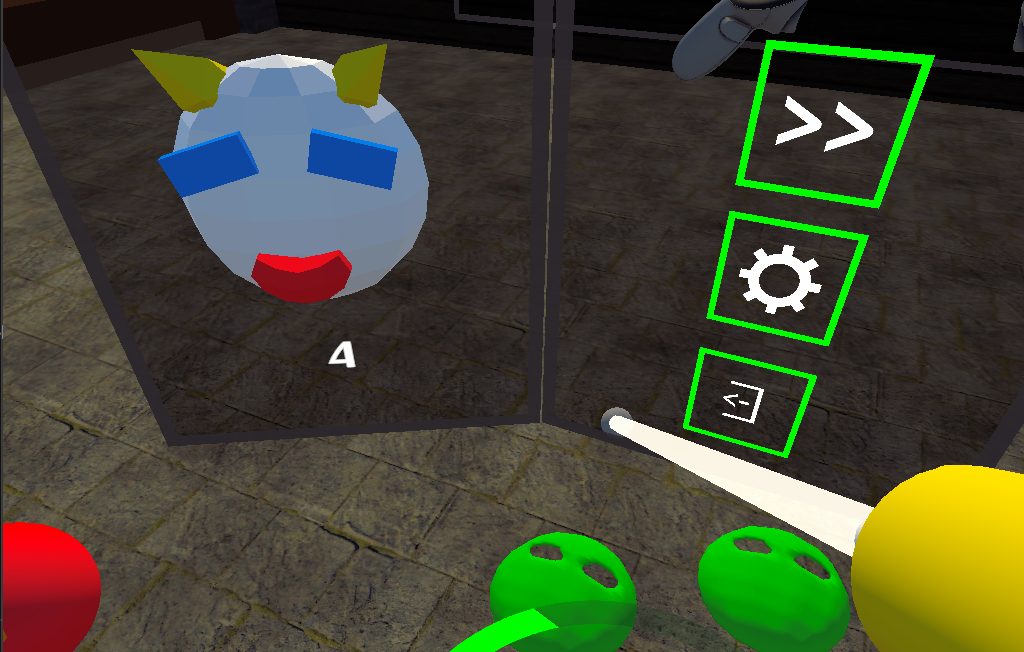
Pause Menu finally added to the player!
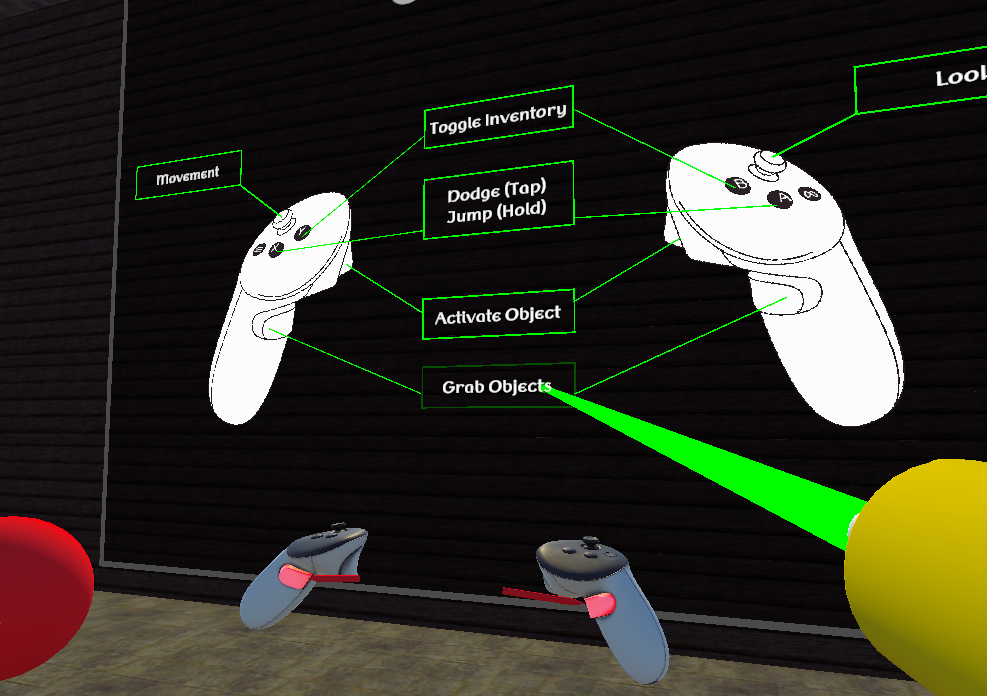
Interactive Controls Menu
Watch a build of Version 0.6 here.
For our project this week, we pushed to have our content merged into one playable build. Fortunately this didn't require too much extra work for my enemies, so I focused on improving them. Enemies now have a prep phase to their attacks and will now no longer attack one target at the same time.
Caption Media
Back again with another update on my procedural generation for my current project. I have implemented walls on all hallways so the entire dungeon is now enclosed. Also you can see chests now appear in some rooms, they are randomly placed in certain rooms labeled as "loot rooms". Finally the biggest change is seen in the latter half of the video which is multiple levels of dungeon spawning. This will create a more complex space for the players to explore and more ways to approach every room for as much freedom as possible. The next step is connecting these level with staircases using a pathfinding formula.
Procedural Generation Update
Here's what I've been working on this week! I've started trying to get networked object to be grabable. This has been a larger task then I initially thought it would have been. I'm trying to make it so the held object's owner is changed to the player trying to hold it. But that isn't really working. So it's still a work in progress.
I've also fixed the player arms so they finally rotate the correct way. I don't know why the Unity Spline package is so hard to use but it feels like it's fighting every step of the way. There was a similar issue when setting the position. I couldn't set it to global space and I couldn't set it to local space. I had to do a weird rotated position for that as well.
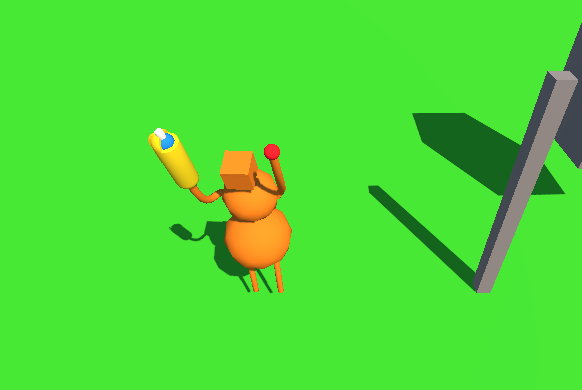
Figure A - Arm Rotations being fixed.
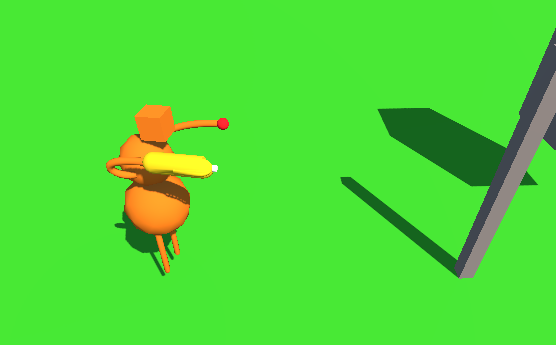
Figure B - Arm Rotations being fixed.
Another week another update! One more week until we end out Month 2! This past week I have been working on some of our B/C features from our Feature List. I have been making some progress on the player shop which will hopefully be done by the end of next week.
The first feature I completed this week was a Currency and Currency Pickup (the green mask in the back of the below GIF) which Enemies will drop when they are defeated. Currency was made modular so I can add it to any objects I need like the Enemies, Players, Smashable Pots, etc. I also worked on a Loot Table system which holds a collection of all weapons, consumables, and money (amount to drop) which is also calculated when enemies are defeated.
I also worked on the Mask Customization Station (name pending). This is where players can go and update their Goofy Masks. There are options for changing the Mask's baseplate, eyes, mouth, and additional details. I plan on adding color support later on and potentially being able to move around the objects on the mask. Players will also be able to see other players as they update their mask.
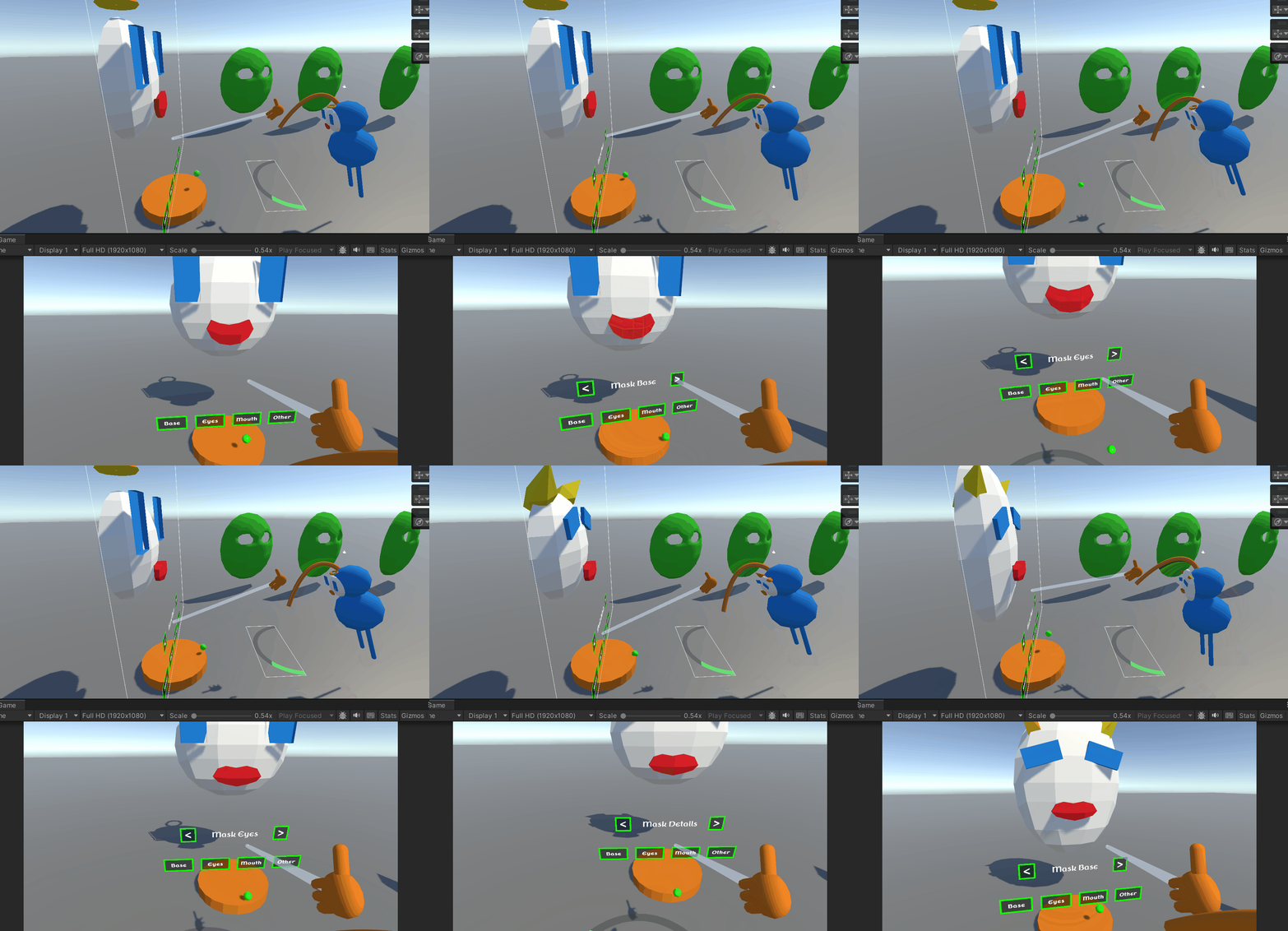
The customization mask station for players!
Watch our build of Version 0.5 here.
For the past couple of weeks I have been reworking the enemy code to function better when I eventually network it. This week I actually applied that networked code. Enemies will move on the host using a nav agent and the client's enemy transform will mimic that. From there I have local procedural animation for the legs and networked weapon attacks that function very similarly to the movement.
For next sprint I plan on setting up an attack queue to limit the number of incoming attacks on one player as well as altering the attacks themselves to include a startup before actually attacking.
Overall I am very happy with the progress of the enemies and I should be making more frequent posts moving forward. Here's a video showing off the enemies and their attacks being synced across a local network.
Enemy Attacks being synced!
For the past few weeks I've been continuing work on my Procedural Generation for the Dungeon in our VR Dungeon Crawler. This has included pathfinding hallways using the A* algorithm as well as making sure walls appear as needed. In the video below you can see our tileset starting to be implemented which required some tweaks for scaling. My next steps are big ones as i must begin generating interiors with chests and enemies and then..... multiple floors interconnected with each other. Should be fun to try and figure out though so I'm excited to get to business... lord business.
Caption Media
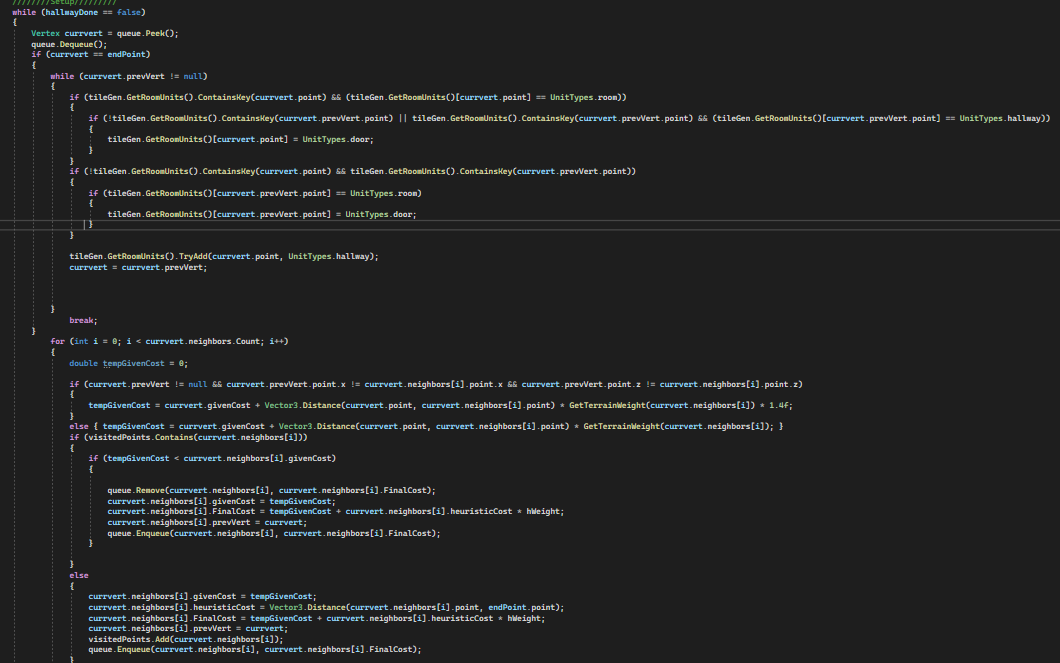
Parts of my A* algorithm that I wanted to show off.
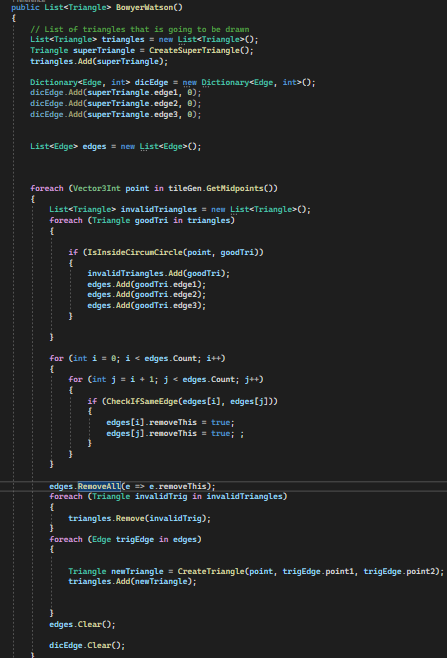
The Bowyer-Watson Algorithm that I have made to work with Dungeon Generation.
One of the main challenges we are facing during development is the ability to rejoin a lobby seamlessly and having the user be notified of when they can properly join back in. While Unity has Rate Limits on how fast a user can request a server's info, getting the player to be 1) removed from the lobby was vital to reconnecting and 2) visually letting the player know when they can reconnect was also important. I will wait before showing this feature off but still wanted to post about it.
Another thing I spent some time working on was the player UI and a Testing Target that we can use to debug some damage values from weapons! There are three sliders for the types of resistance enemies will have. The resistance percentages of Pointy (Piercing), Bonk (Blunt), and Swish (Slashing) can all be customized with the Testing Target so we as developers can get a feel for enemies and also players can have some fun while waiting in the Sandbox Lobby!
Alongside the Player UI are the Player Options UI and Player Stats UI, while I did work on this last week I didn't have it visually appealing but I think it's at a point in which I can provide some media for it! The Options menu is currently modular so we can add as many options in the future as we will need. The player health bar was also implemented around their waste as to not take up screen space and overwhelm the player.
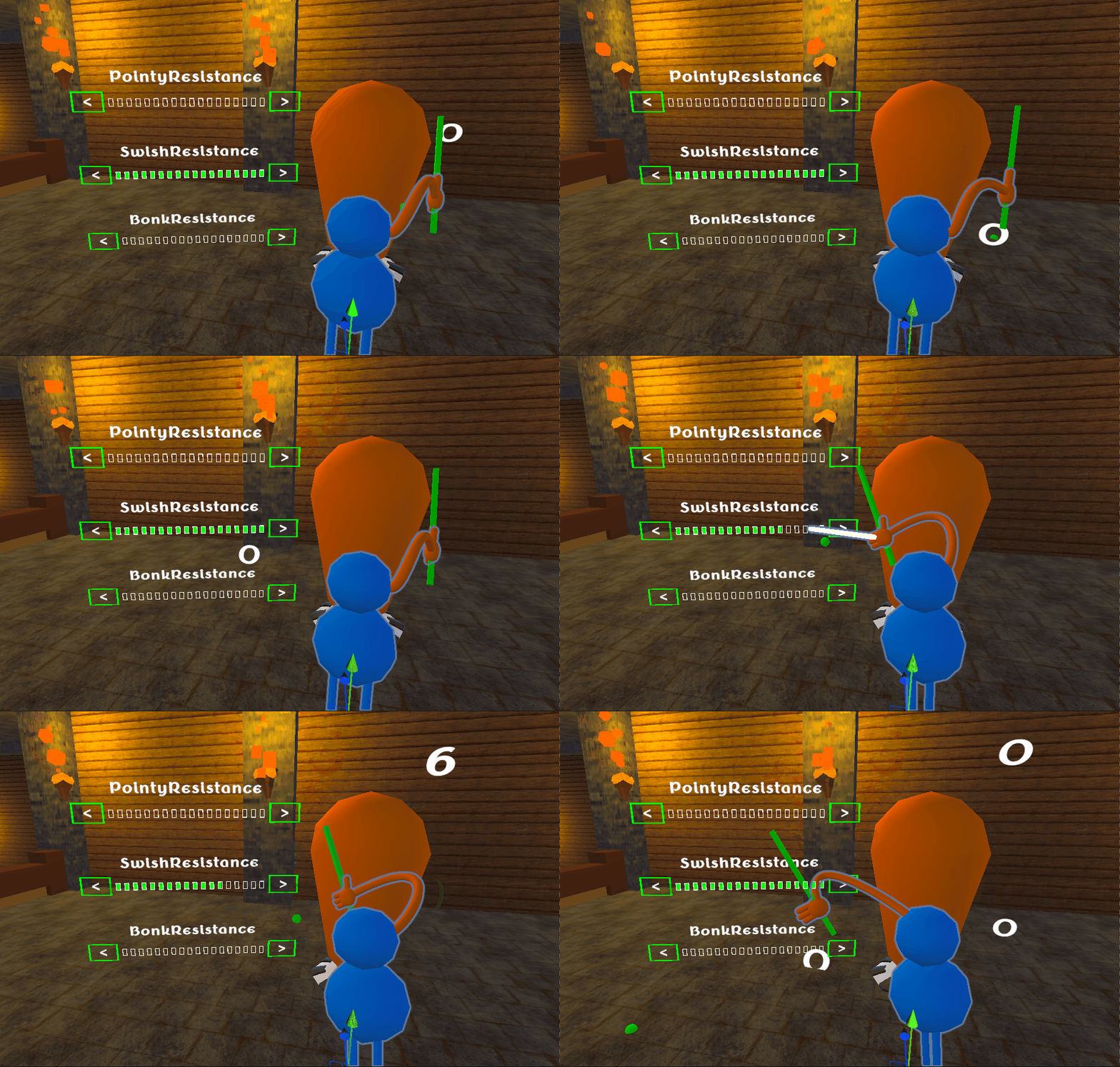
The current Testing Target for weapons and resistance values!
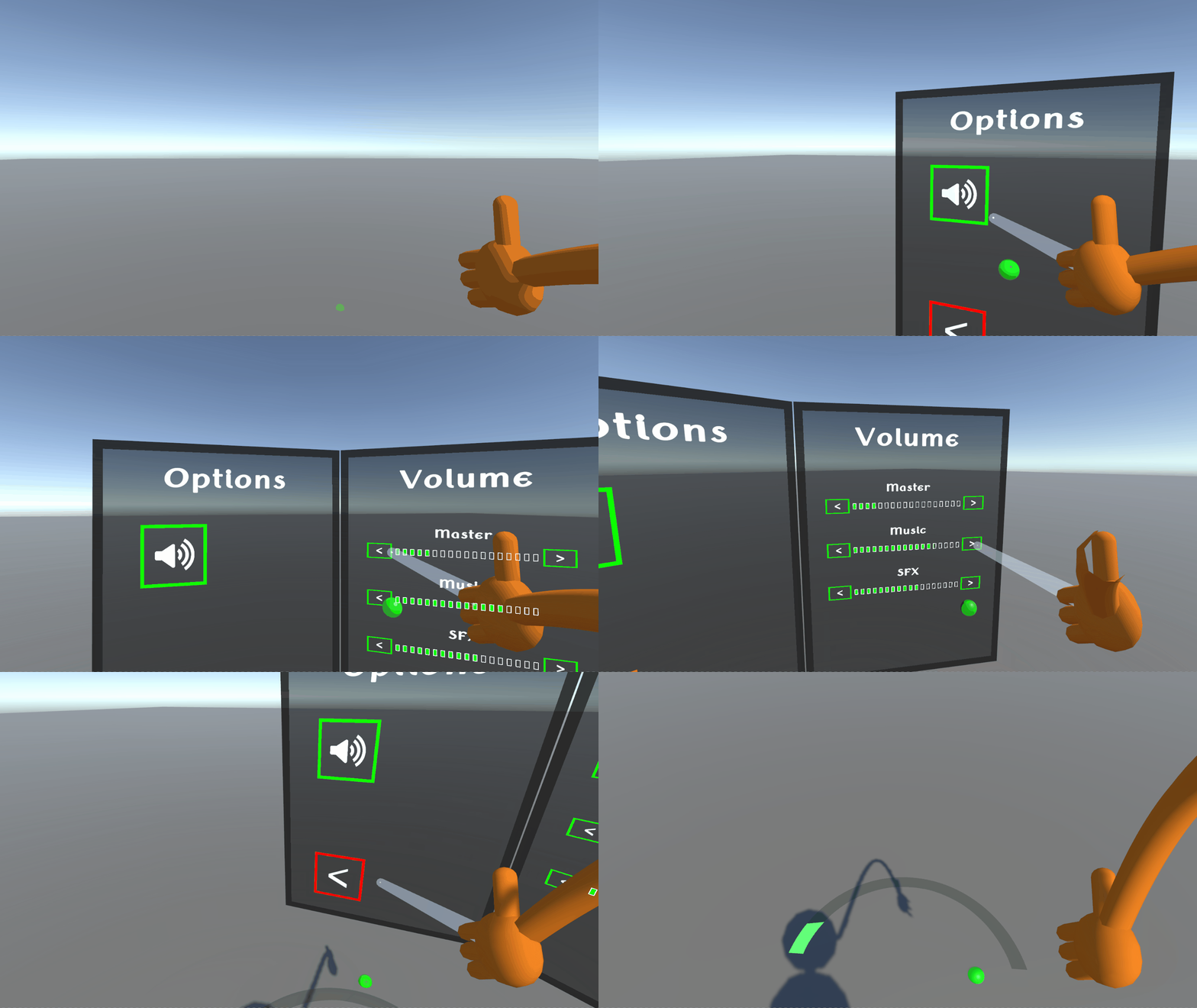
The current Player UI and Options Menu in-game.
Download Version 0.4 here.
For the past two weeks I spent a lot of time reworking my previous code to function more fluidly with less set up. I also Worked on an enemy manager system that manages enemies within encounters. This will theoretically fix any issues with enemies targeting players they shouldn't. As of right now everything functions the same visually so I have nothing to show you, but by next week I should have more to show.
The past few weeks have felt a little slow because I've been doing a lot of research on how I want to handle the player connection and management system. But for all my research there hasn't been much visible progress on the project itself. So I'm going to show you some screenshots and and doodles of what I'm trying to do.
The first image shows the new system kind of working a little. What I'm doing here is spawning in a Pose Driver that will coordinate with the server to spawn in a puppet. This way I can have a character that is controlled through an abstracted source. So if I need to swap out the model itself or the pos driver I'll be able to do that.
In the second image is a doodle that demonstrates how I think this system will work. The top layer with the red and blue dots being the puppets and the bottom layer with the black human doodles being the pose drivers. The other colored lines are supposed to imply position data being passed around.
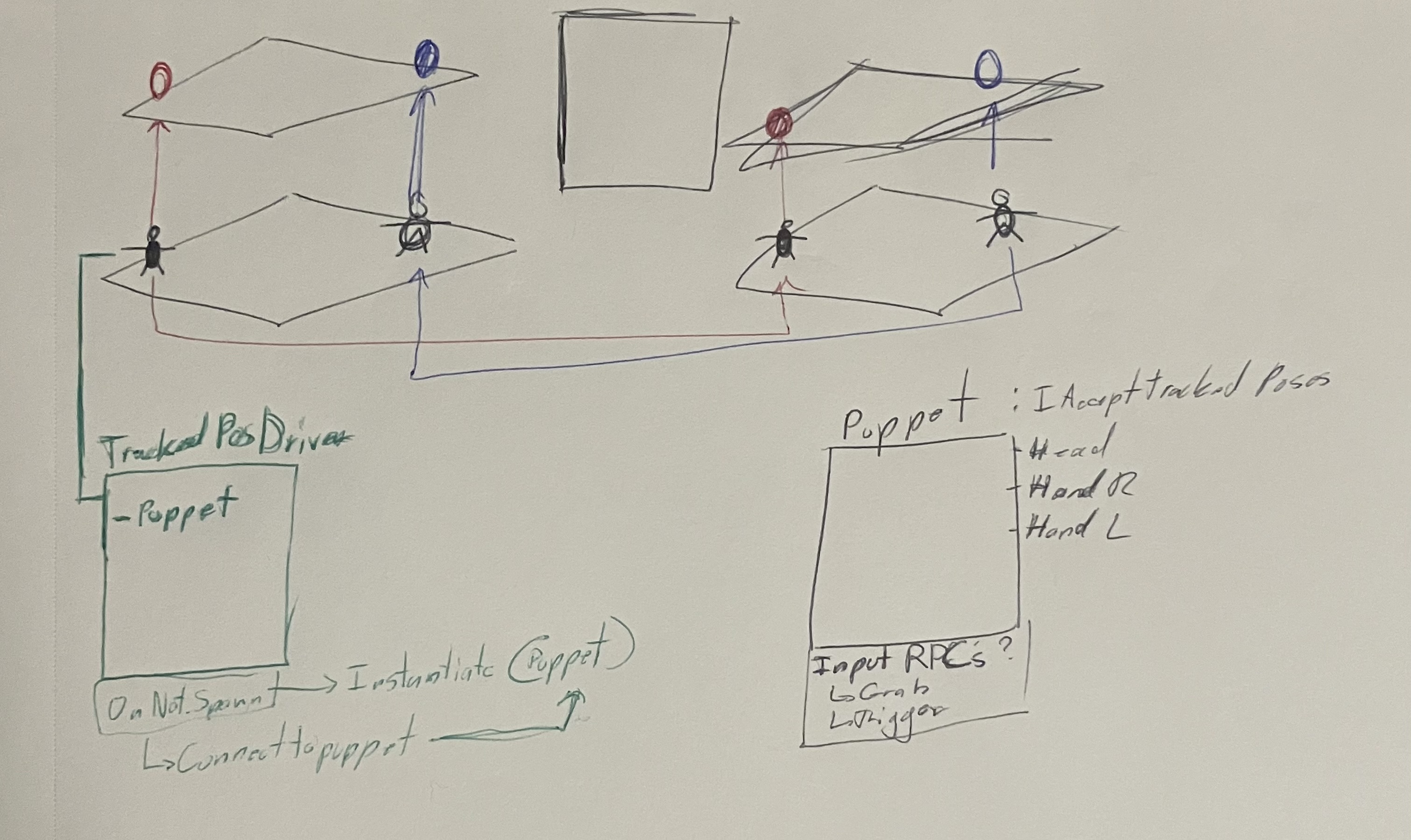
Doodle of the Networking Puppet Driver.
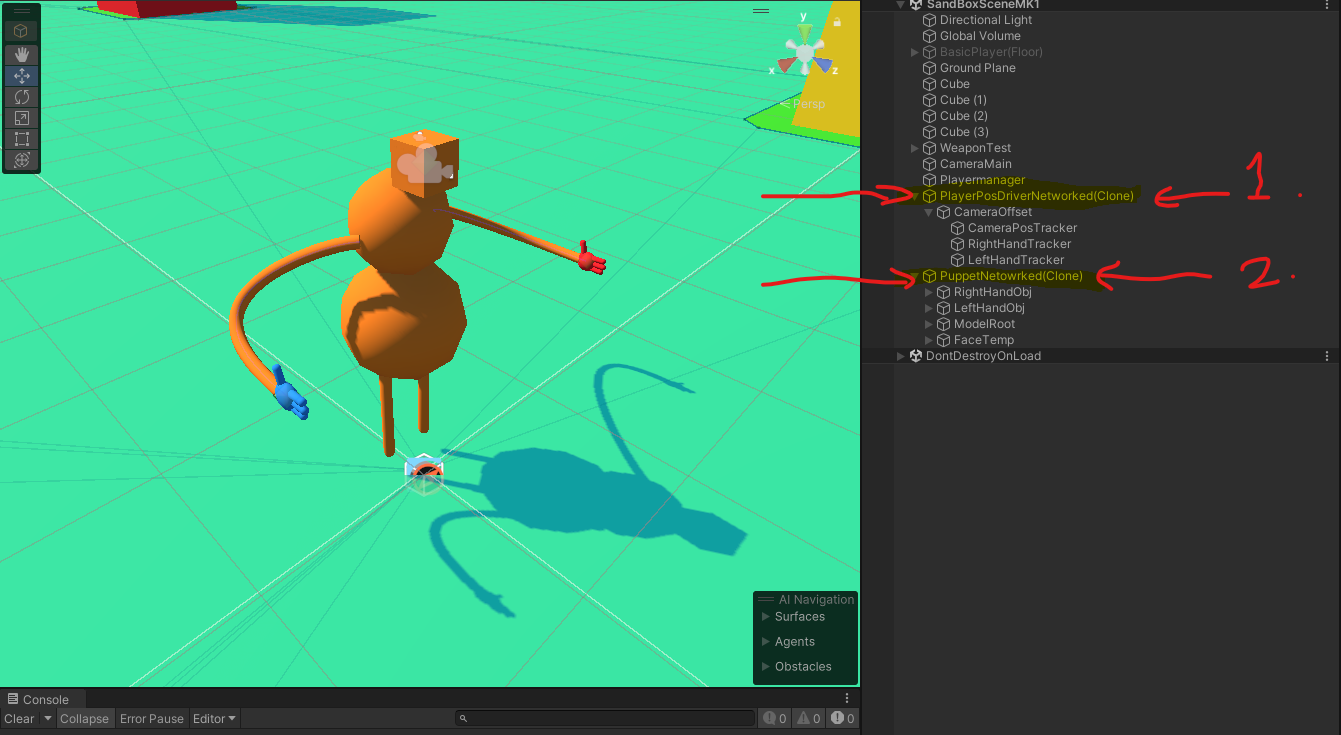
Puppter Driver in action!
My teammates and I wanted to take it a bit slower heading into the second month as we were reworking and fixing up many of Month 1's codebase to provide a better foundation for our future development!
One of the main things that I worked on this past week was a new Sandbox Lobby Scene that players can hop into to create their dungeons. The sandbox lobby will feature three main areas but has room for expansions later on.
There will be a common area where you can view unlocked weapons, host/join lobbies, and customize your character. A Generator Room where you can select the size of the Dungeon you want to procedurally generate. Lastly, a Tutorial room where players can test weapons against Target Models and manipulate their resistance values.

A tour of the revamped (not complete) Sandbox Lobby!
Download Version 0.3 here.
This week I worked on implementing a modular UI system into our project! This modular UI system involves some of Unity's Action/Event Systems so I can call an increment/decrement for the respective slider.
I also set up some of the Player Settings options with that modular UI system. For right now it just holds the Master, Music, and Sound Effects (SFX) Volume values.
Lastly, I set up a new Main Menu Scene for players to load into. There is an option for Singleplayer, Multiplayer, and of course Options within the Main Menu. Upon selecting Singleplayer/Multiplayer, the player is transported to the Sandbox Lobby scene where they can fight against some enemies or host a lobby!
The new main menu scene that players load into after the splash screen.
Some of the modular UI buttons I made for VR.
Download Version 0.2 here.
I did not do a lot of VR work, but I made a simple enemy that moves using a nav agent and nav mesh. I also used my group mate Tom's code in another project as reference for the attacks.
The enemies attack by having their weapon follow a predefined path made from a spline.
Video showcasing an enemy within the singleplayer level!
Since my last post I have gotten rooms to generate with individual cubs to make up a room similar to how a tileset would work
I have also began drawing lines between rooms which will eventually be used to path hallways I accomplished this using the Bowyer Watson algorithm which isn't working exactly properly at the moment but I'm hard at work to get it to comply. Hopefully by the end of this week it'll be functional and I can begin pathfinding the hallways!
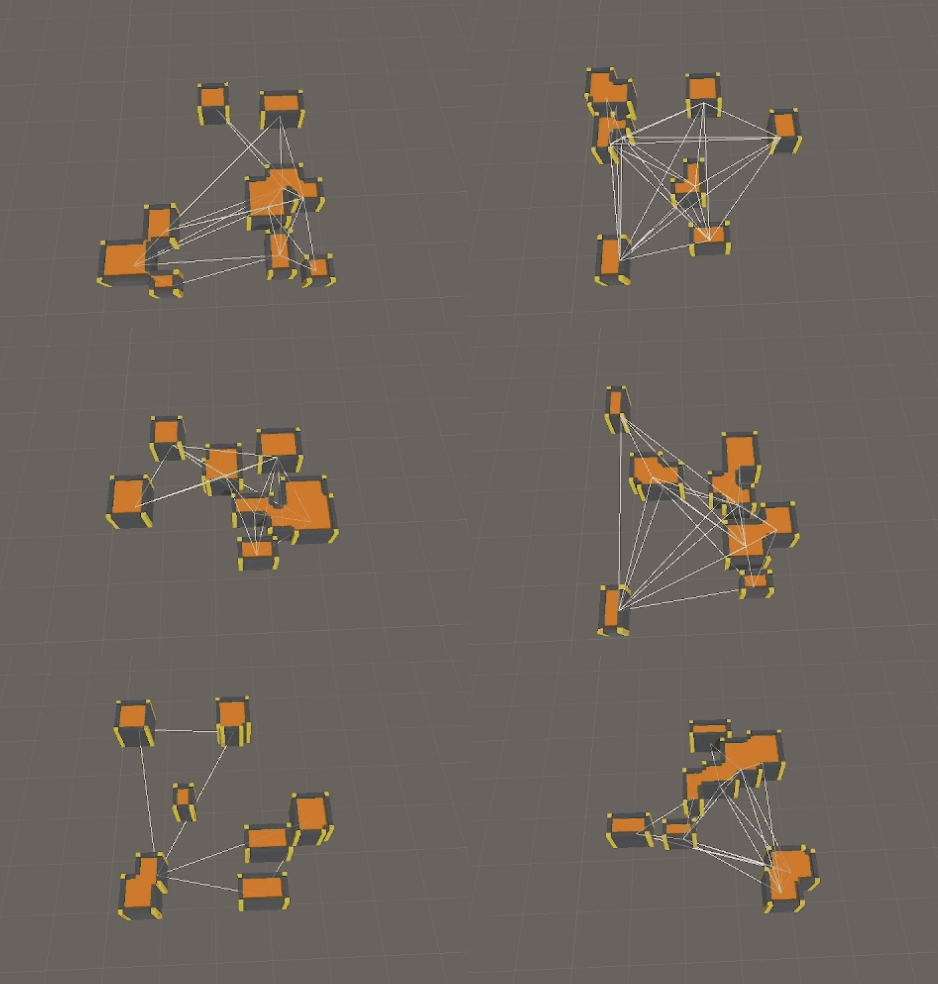
A GIF of my current Procedural Generation progress! Showcasing meshing rooms.
As the player character programmer, I'm tasked to sync the player through the network. But as of now, it has proved to be harder than expected. The only other thing I've networked has been a really simple character, found in the gif to the right.
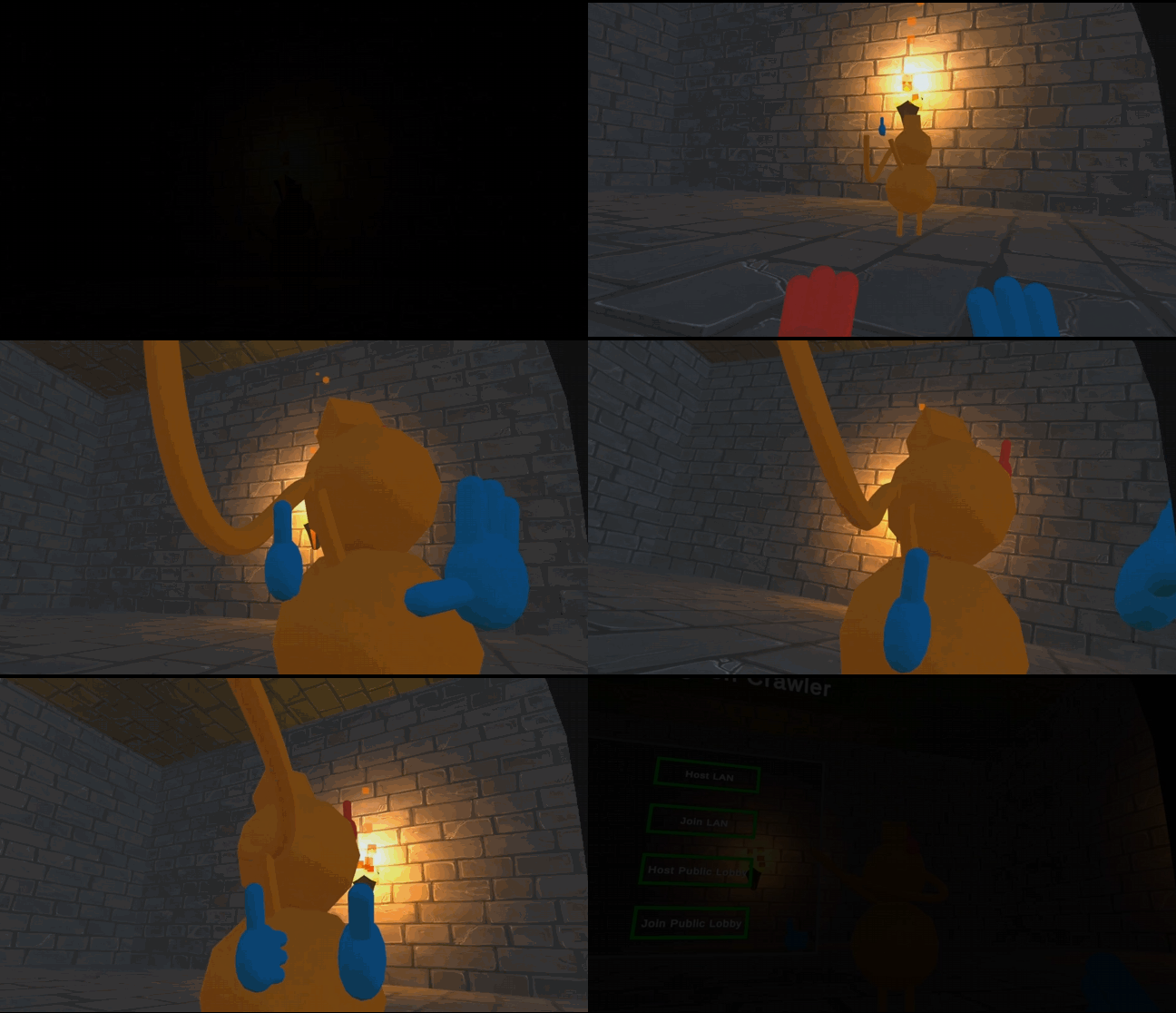
LAN Connection handshake with another client!
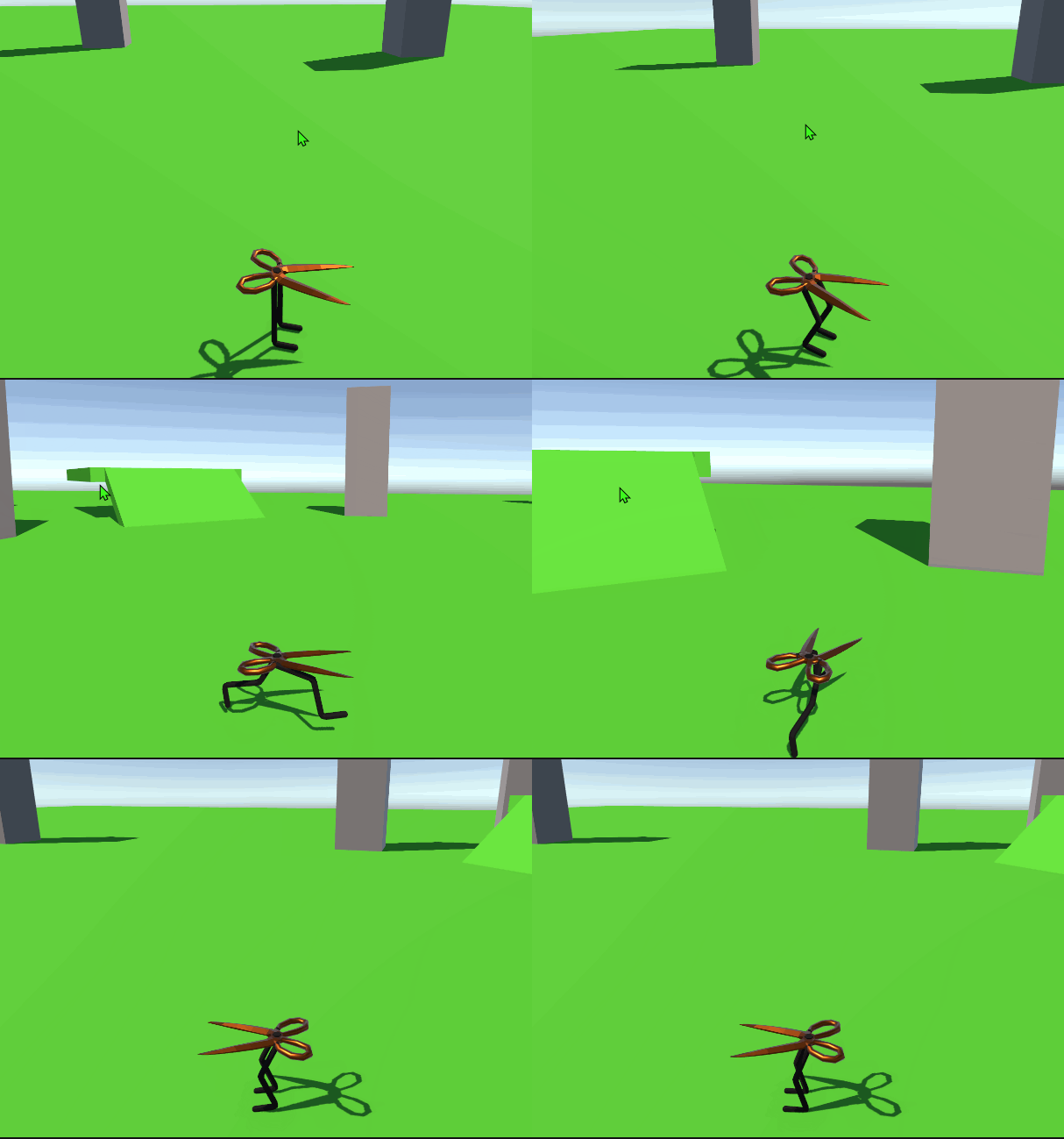
Scissor-Character Prototype project I have worked on.
This week I helped get a networked connection up between two clients over LAN! We connected the two clients via one editor instance and one build instance running using Netcode for Game Objects and following this tutorial for some starting points. With a LAN Connection setup, now I can start working on the fun stuff: passing data over that connection!
Aside from networking I also got a base UI setup working with a Restart/Quit menu for singleplayer and a multiplayer menu containing LAN or Online Host/Join options! One of the hurdles I had to cover this week with UI having the player being able to interact with it. That was solved by using a RayCast when the player pressed the right trigger on the UI. This also helped me to incorporate some feedback to the player with some hover and confirm sound effects.
One important thing we found when testing LAN was that two Unity editors cannot connect to LAN, at least one instance has to be from a build/packaged version of the project.

Joining a LAN Hosted Server as a client!
Shaking hands with the LAN Host!
Download Version 0.1 here.
This project is a VR dungeon crawling game that you can play with friends. I have been tasked with creating enemies and handling procedural animation.
Recently I've been working on learning procedural animations using this tutorial. I have succeeded in the math behind head tracking as well as eye tracking, and I've started working on understanding the math behind inverse kinematics.
My current progress on Procedural Animations!
I am working on the procedural generation of the dungeon for our project. I am tasked with implementing the Bowyer Watson algorithm to connect randomly placed rooms with both hallways and staircases
So far I am just placing rooms (currently just cubes of varying size) randomly and successfully got them to place without overlapping with each other. Next step is to establish the connections which will turn into our hallways!
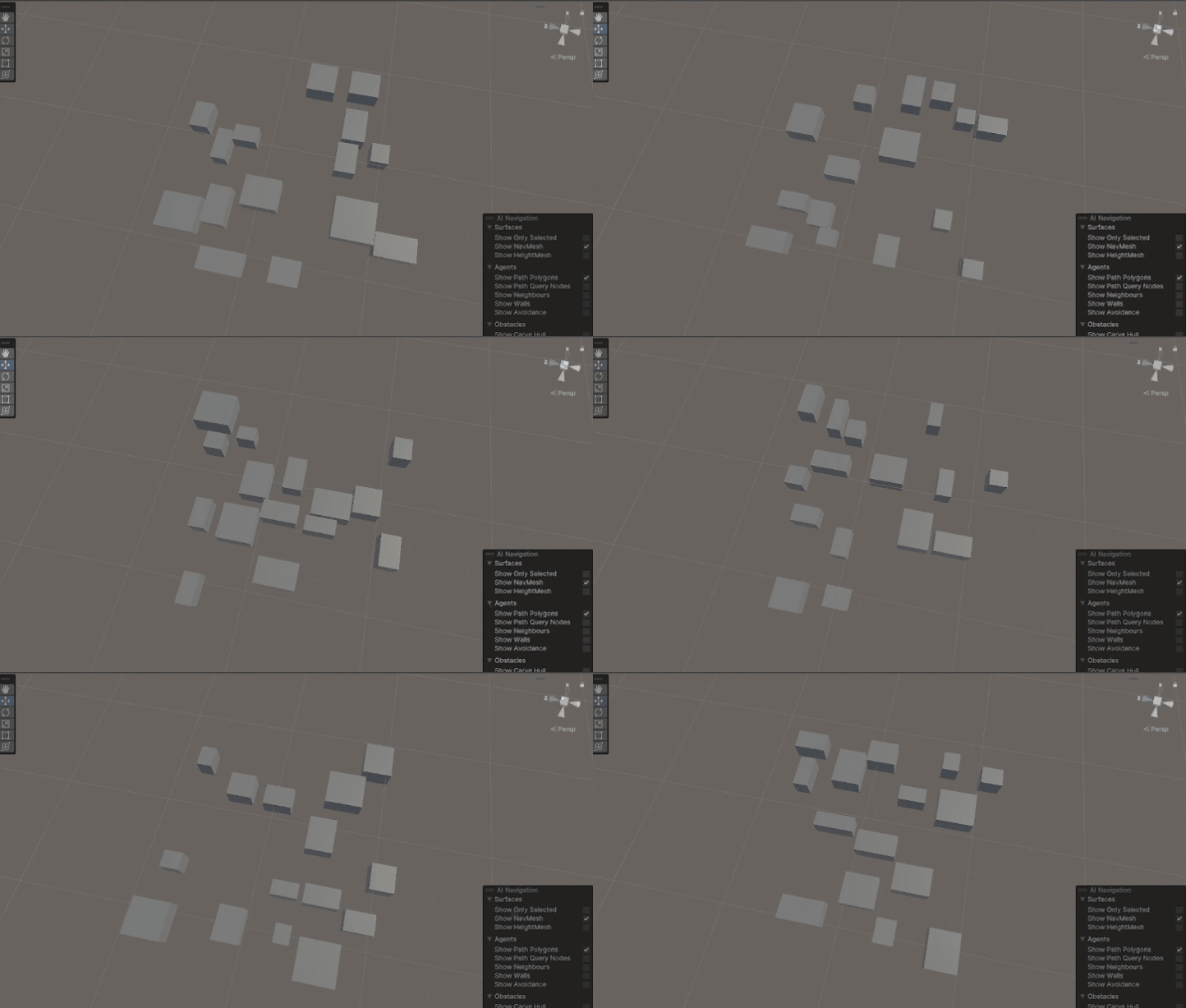
Procedurally Generating different dungeon rooms!
I am the team lead as well as the player gameplay programmer. Here's what I've been doing on the project so far!
I've been working on setting up basic VR movement using a custom collide and slide algorithm for collision detection and movement. The gif shows the algorithm hitting the geometry and sliding the movement along the wall-normal. There is some dampening with the angle hitting the wall. That way, moving directly into a wall will fully cancel the movement.
The second image shows the player character that I made. The player character is hooked up with VR capabilities, the basic setup was to have player movement, hand movement, and camera rotations.
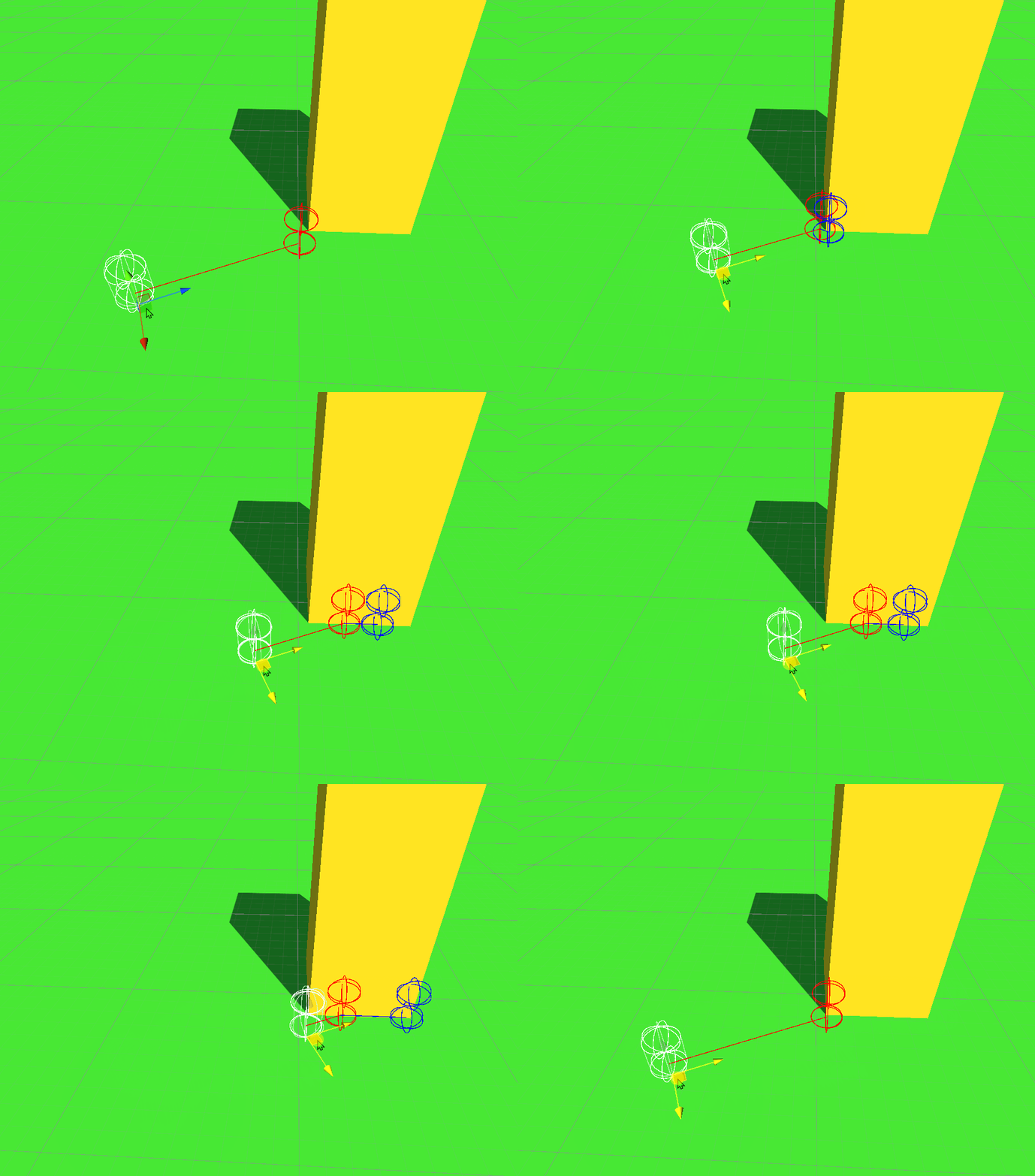
Collide and Slide in action (with collisions showing velocity and end position).
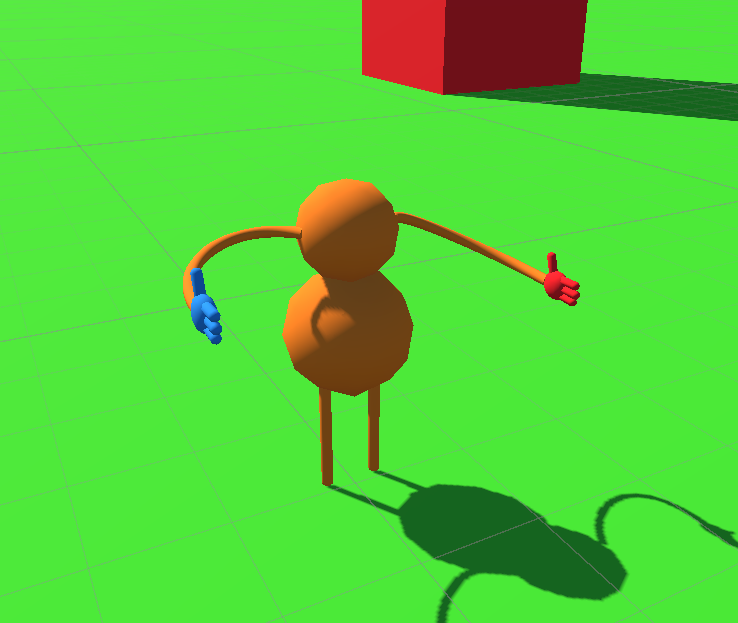
The initial VR player model!
I am the Networking/UI Programmer on the team working on developing systems to help connect multiple clients online! We are developing our project with Unity using the XR All In One SDK and Unity's Netcode for Game Objects, Unity Relay, and Unity Lobby APIs to develop the game.
I have currently developed an In-Game Debug Console to help assist us when debugging outside the editor and when we run into errors. I have also connected multiple clients with LAN and WAN options!
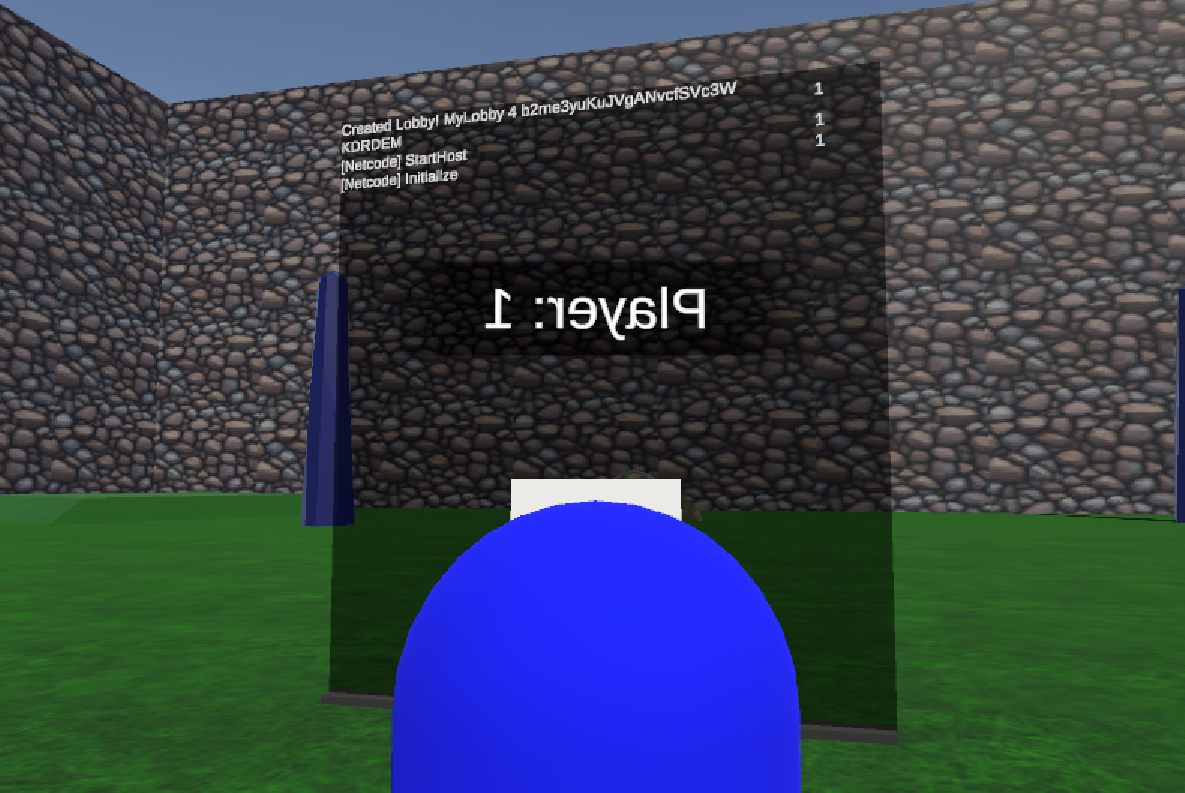
The in-game console, featuring a counter for times the log has been called.
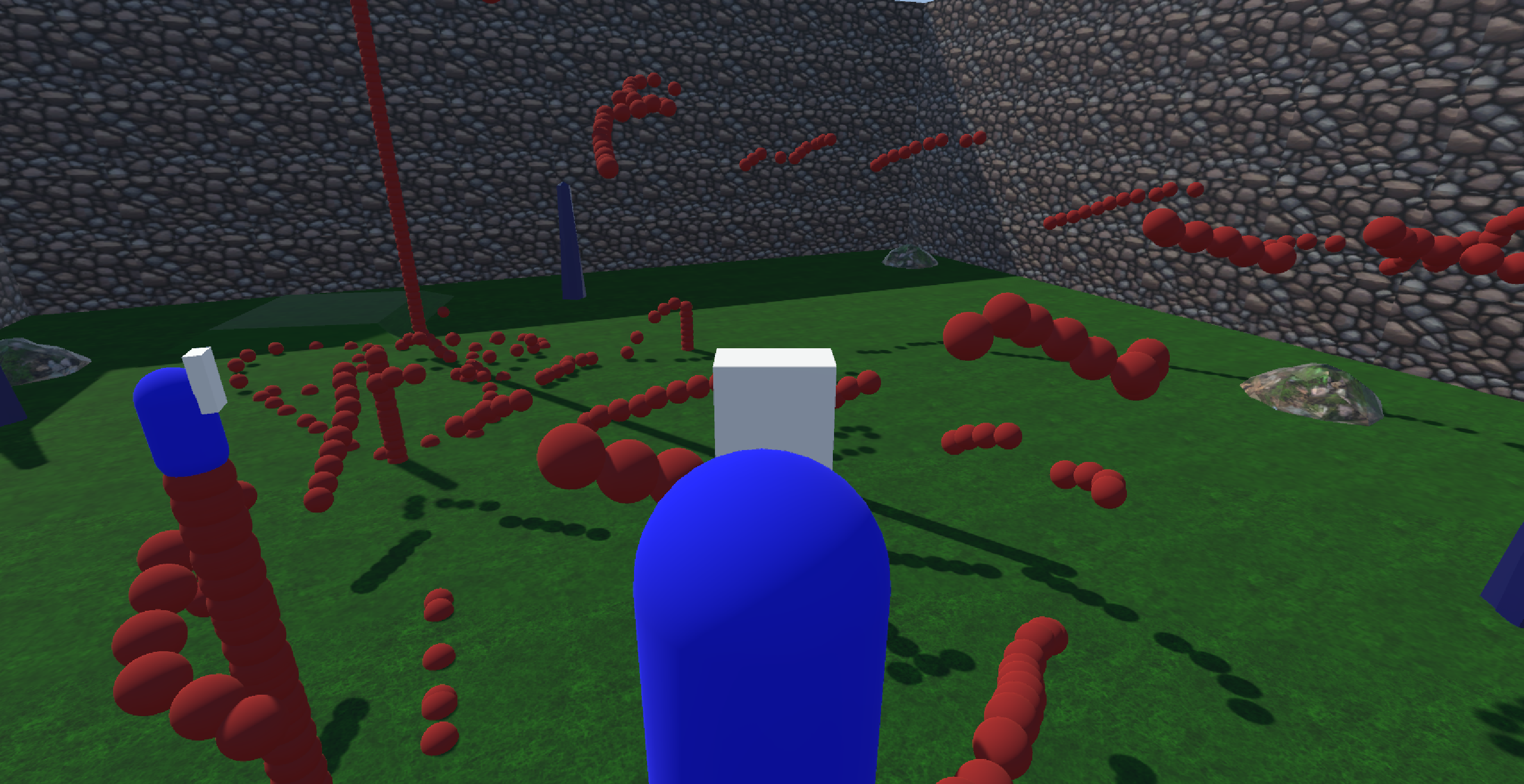
A friend and myself testing out networking, being able to spawn objects between each other.